Skip to content

Nework’s K–12 Solution:
Make Teaching More Interactive and Effective

Deliver engaging, student-centered lessons with Nework E-Series—making active learning easy for every teacher.

amazon #1 Best Seller
2026
4.7 ★★★★★ ★★★★★
Product Review
Trustpilot
4.6 ★★★★★ ★★★★★
IDA Design Awards Bronze Winner 2025 Muse Design Awards Gold Winner 2025 New York Product Design Awards
Explore E-Series

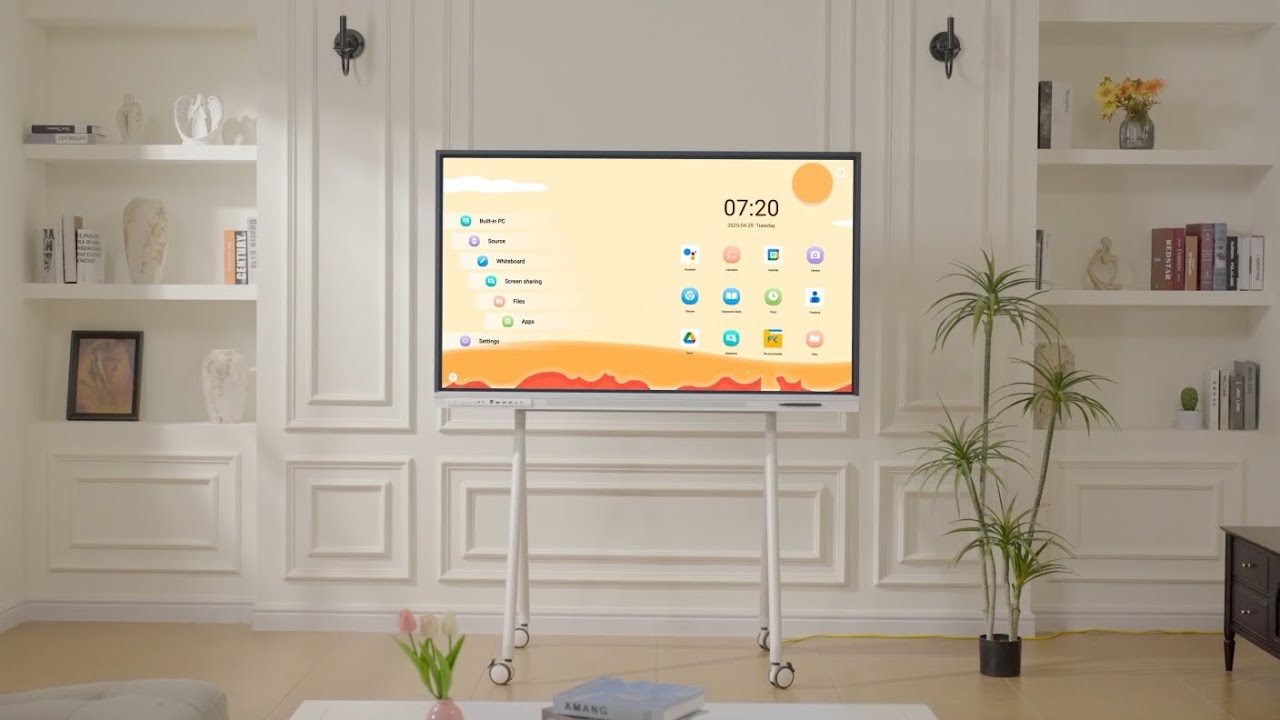
Meet Nework E Series

A smarter interactive boardfor modern K-12 classrooms

smart board for k12 classroom
smart board for stem classrooms
interactive whiteboards for classrooms
smart board for stem classrooms
smart board for schools
smart board for teachers
amazon #1 Best Seller
2026
4.7 ★★★★★ ★★★★★
Product Review
Trustpilot
4.6 ★★★★★ ★★★★★
IDA Design Awards Bronze Winner 2025 Muse Design Awards Gold Winner 2025 New York Product Design Awards

The Smart Learning Companion for K–12 Education Boost Student Engagement with Nework Board

Nework interactive whiteboard Cooperation brand logo 01
Nework interactive whiteboard Cooperation brand logo 02
Nework interactive whiteboard Cooperation brand logo 03
Nework interactive whiteboard Cooperation brand logo 04
Nework interactive whiteboard Cooperation brand logo 05
Nework interactive whiteboard Cooperation brand logo 06
Nework interactive whiteboard Cooperation brand logo 07
Nework interactive whiteboard Cooperation brand logo 08
Nework interactive whiteboard Cooperation brand logo 09
Nework interactive whiteboard Cooperation brand logo 10
Nework interactive whiteboard Cooperation brand logo 11
Nework interactive whiteboard Cooperation brand logo 12
education smart board solution

Interactive Teaching

Turn Every Lesson into an Interactive Experience

Google Classroom Microsoft PowerPoint Google Slides PDF Documents
✦ Bring all your lesson materials into one interactive whiteboard and annotate naturally as you teach.
✦ Enrich classroom instruction with multimedia tools and access to thousands of educational apps.
✦ Share content wirelessly from Chromebooks, iPads, laptops, and Android devices in seconds.

Active Learning

Keep Every Student
Engaged and Participating

Help students build deeper understanding through hands-on lessons that go beyond passive memorization.
Encourage collaboration and problem-solving with interactive activities the whole class can join.
Increase participation in class and remotely from laptops, tablets, and phones—so every student stays involved.
interactive whiteboards for classrooms
smart board for k12 classroom

Future-Ready Schools

Create a More Engaging
Learning Environment

✦ Support every subject with flexible teaching tools designed for today’s classrooms.

✦ Increase student engagement and participation to help improve learning outcomes.

✦ Strengthen STEM and technology programs to give your school a competitive edge.

Fleet Management

Simplify Classroom
Technology Management

interactive whiteboards for classrooms interactive whiteboards for classrooms white board for classrooms smart board for k12 classroom smart board for stem classrooms smart board for schools
Deploy and manage multiple classroom displays with easy setup and centralized administration.
Integrate seamlessly with your existing school IT systems and onboarding processes.
Protect student and school data with Google EDLA certification and automatic security updates.
smart board for stem classrooms

Trusted by 9,600+ Educators, Schools & Districts

Ryne Anthony
Middle School STEM Teacher
★★★★★

“We move the board between small groups and full-class lessons. It feels like a shared learning space students naturally gather around.”

students interacting with smart board in classroom
Sarah Johnson
3rd Grade Classroom Teacher
★★★★★

“Students drag answers, mark mistakes, and stay involved instead of just watching.”

elementary students using interactive smart board
smart board for K-12 classroom learning
Amy Migura
Assistant Principal, K-8 School
★★★★★

“Nework fits into the tools teachers already use. Lessons, tabs, and student activities are simple to open and present.”

teacher presenting lesson on smart board
Michael Turner
Instructional Technology Coordinator
★★★★★

“Teachers annotate, save notes, and mirror content without waiting on IT. Adoption was much smoother.”

Riego Castillo
English Language Program Teacher
★★★★★

“Touching, sorting, and explaining ideas helps students do the thinking, not just listen.”

students presenting with smart board
Jennifer Lee
Curriculum & Learning Specialist
★★★★★

“Saved annotations help teachers revisit lessons later and keep learning consistent from class to class.”

interactive K-12 classroom learning
Riego Castillo
English Language Program Teacher
★★★★★

Touching, sorting, and explaining ideas helps students do the thinking, not just listen.

Classroom review
Amy Migura
Assistant Principal, K-8 School
★★★★★

Nework fits into the tools teachers already use. Activities are simple to open and present.

Interactive Teaching
Ryne Anthony
Middle School STEM Teacher
★★★★★

We move the board between small groups and full-class lessons. It feels like a shared learning space.

Classroom Learning
Sarah Johnson
3rd Grade Classroom Teacher
★★★★★

Students drag answers, mark mistakes, and stay involved instead of just watching.

K-12 smart board classroom review
Michael Turner
Instructional Technology Coordinator
★★★★★

Teachers annotate, save notes, and mirror content without waiting on IT. Adoption was much smoother.

interactive smart board review for K-12 education
Jennifer Lee
Curriculum & Learning Specialist
★★★★★

Saved annotations help teachers revisit lessons later and keep learning consistent from class to class.

K-12 education classroom smart board review

Bring K12 Classrooms to Life

Discover smarter, more interactive teaching in 1 minute

Versatile for Classrooms of All Sizes Versatile for Classrooms of All Sizes

smart board for k12 classroom

For Small Classrooms & Learning Corners Small Classrooms

Nework E-Series 55" 55" E-Series

smart board for stem classrooms

For Standard K–12 Classrooms Standard Classrooms

Nework E-Series 65" 65" E-Series

smart board for schools

For Large Classrooms & Lecture Rooms Large Classrooms

Nework E-Series 75" 75" E-Series

FAQ

Yes. The E-Series works like a giant tablet, so teachers can start writing, presenting, and accessing apps with little to no training.

Yes. The Nework E-Series is Google EDLA certified and supports Google Classroom, Google Drive, Canvas, Kahoot!, YouTube, and thousands of apps from Google Play.

Yes. Teachers can save notes instantly and share them with students via QR code, email, USB drive, or cloud storage.

Yes. Students can wirelessly share content from Chromebooks, iPads, laptops, and Android devices. The display supports up to 50-point multi-touch for interactive group learning.

Teachers can run Zoom, Microsoft Teams, or Google Meet directly on the Nework E-Series and share their screen. Remote students will see everything written on the board live. Lesson notes can also be exported as PDFs and shared after class.

You might like