

Nework’s Higher Education Solution: Transform teaching & learning
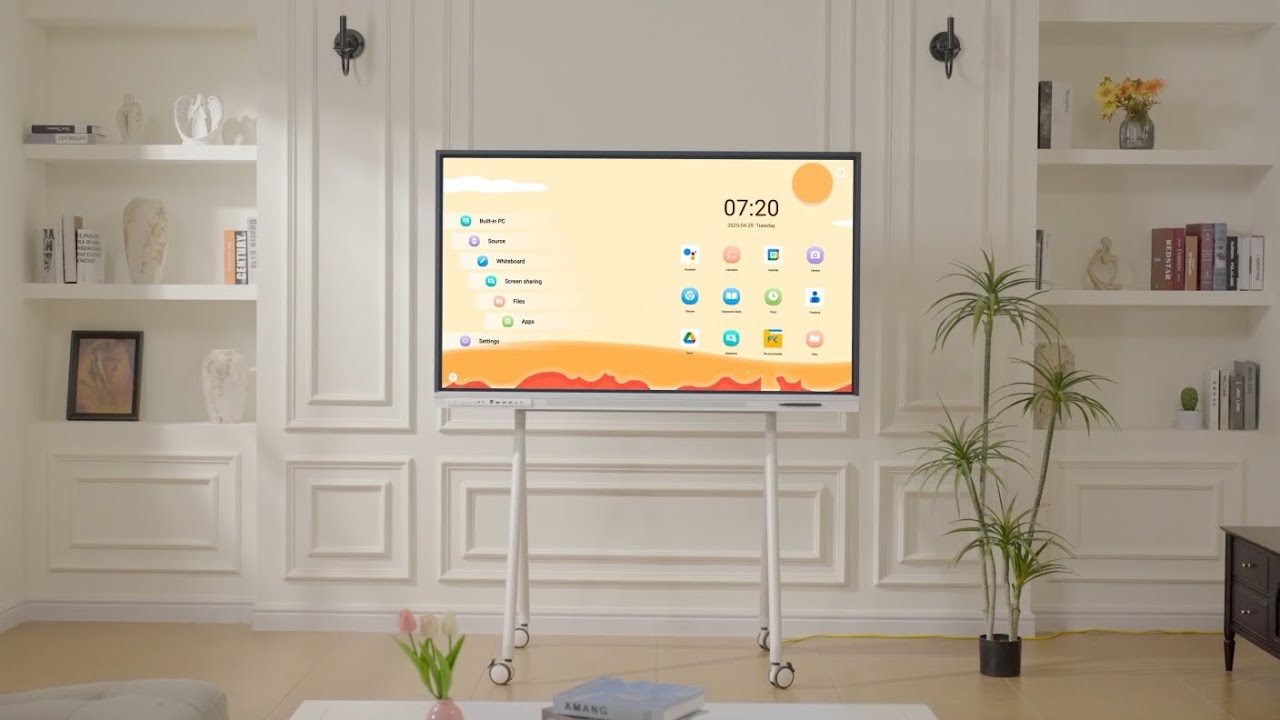
Nework E Series is a next-generation interactive smart board designed for modern higher education learning and teaching environments.
2026
4.6 ★★★★★ ★★★★★


Meet Nework E Series
Smarter, more focused and fun learning at higher education


2026
4.6 ★★★★★ ★★★★★
Bringing Teaching and Technology Together
to Create Exceptional Learning Environments
Where Teaching and Technology Work as One


Smart Personal Offices
Make Office Hours More Engaging and Productive
Interactive Learning
Bring Teaching to Life with Interactive Multimedia Learning
Dynamic Faculty Workspaces
Transform Your Workspace with Greater Flexibility and Freedom
Advanced Seminar Rooms
Launch Academic Discussions with One Simple Tap


Trusted by 7,800+ Educators, Colleges & Universities
Built for lecture halls, seminar rooms, faculty collaboration, and hybrid learning across modern campuses.
Nework gives our faculty a more natural way to teach, annotate, and share ideas. It has become a central tool for active learning.

Faculty adopted Nework quickly. It works smoothly with Canvas, Google Workspace,
and Microsoft 365, making course delivery more efficient.
Faculty meetings, guest lectures, and collaborative workshops are easier to manage and present.

In case discussions, students map ideas visually and adjust their thinking in real time. It keeps the room focused and engaged.

Real-time annotation has made our graduate seminars and thesis discussions more interactive and productive.

Nework helps remote and in-room students follow the same conversation.
Shared notes make hybrid sessions much easier to continue.
Saved annotations allow instructors and students to revisit discussions and stay aligned across courses.
Nework gives faculty a natural way to teach, annotate, and share ideas. It has become a central tool for active learning across campus.
Faculty adopted Nework quickly. It works smoothly with Canvas and Microsoft 365, making course delivery more efficient for everyday teaching.
Real-time annotation makes graduate seminars and thesis discussions more interactive and productive for faculty and students.
Remote and in-room students can follow the same conversation. Shared notes make hybrid sessions easier to continue after class.
Elevate Teaching and Learning with Nework
See Nework’s Impact in Higher Education in 1 Minute
Built for Higher Education Spaces of All Sizes Built for Campus Spaces of All Sizes

For Seminar Rooms & Faculty Offices Seminar Rooms
Nework E-Series 55" 55" E-Series

For Standard University Classrooms University Classrooms
Nework E-Series 65" 65" E-Series

For Lecture Halls & Collaborative Learning Spaces Lecture Halls
Nework E-Series 75" 75" E-Series
FAQ
Absolutely. Nework E Series is designed to feel as intuitive as a large interactive tablet, so faculty and students can start using it with little to no learning curve.
There is no need for external computers, projectors, or calibration. Everything is built for a simple and natural experience—from writing and annotation to wireless screen sharing and app access.
We provide complimentary onboarding sessions, live product demos, and expert support to help your institution get up and running quickly.
Yes. Nework E Series supports PowerPoint, PDF, Word documents, images, and other commonly used academic file formats.
Faculty can open and annotate lecture slides, research papers, assignments, and course materials directly on the display.
With Google EDLA-certified Android 14, you can also access Google Drive, OneDrive, Dropbox, and other cloud storage platforms
There are several easy ways to share content with remote learners.
Join a Zoom, Microsoft Teams, or Google Meet session directly from the board and share your screen so students can see all annotations and teaching materials in real time.
You can also export notes as PDFs or share them instantly via QR code, making it easy for students to review after class.
Yes. Students can participate from any laptop, Chromebook, iPad, or smartphone.
Using browser-based tools such as Google Docs, Microsoft 365, Canvas, and collaborative whiteboard apps, students can view content, contribute ideas, and work together in real time from anywhere.
Nework E Series supports thousands of apps through the Google Play Store, including:
- Canvas、Google Classroom、Blackboard
- Zoom、Microsoft Teams、Google Meet
- Google Drive、Microsoft Office
Because the system is Google EDLA certified, institutions have access to secure, verified apps and regular system updates.
Nework E Series is purpose-built for universities, colleges, and research institutions.
Key features include:
- Google EDLA-certified Android 14
- Natural ultra-low-latency writing
- Wireless screen sharing
- Split-screen multitasking
- QR code note sharing
- 4K anti-glare display
- Access to thousands of education apps
- Complimentary onboarding and expert support
Whether used in lecture halls, seminar rooms, faculty offices, or collaborative learning spaces, Nework helps make teaching and academic collaboration more interactive and efficient.


